
This post is about triggering the generic workflow which acts as router to call the correct workflow for the action required when they appear in the Movie DB Popular Person list managed by the Azure Function from part 1. Only the Insert action is implemented currently and this workflow will be built-out when I tackle the move and leaver processes.
The MovieDB Azure Function (MDBAF) will add a new user as a row in to the Azure Table Storage (ATS) and then call the generic workflow Logic App, called JML-Workflow, passing the parameters in the request body e.g.
{
    "headers": {
        "Connection": "Keep-Alive",
        "Accept": "application/json",
        "Host": "prod-05.uksouth.logic.azure.com",
        "Content-Length": "117",
        "Content-Type": "application/json"
    },
    "body": {
        "executeDate": "09/08/2020 22:25:53",
        "executeType": "Insert",
        "partitionKey": "R",
        "rowKey": "3223"
    }
}
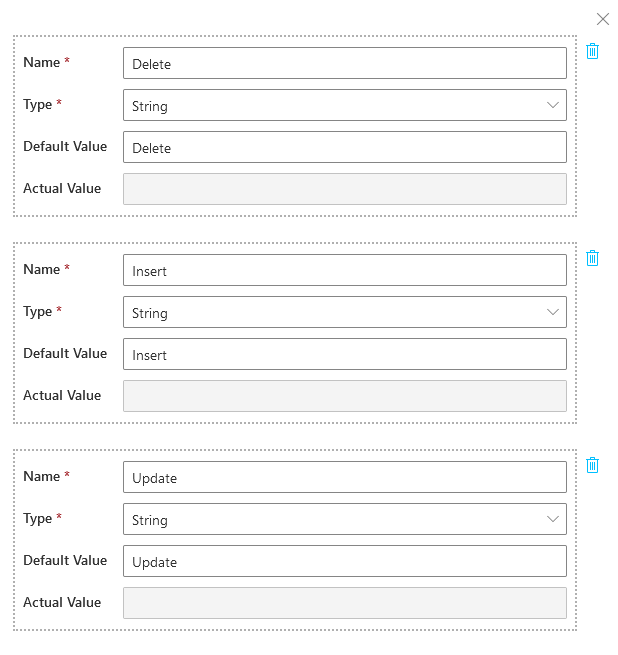
The first thing is to set some parameters to act as constants for the execute type. This allows a change in one place of any of the values that may be used multiple time in the workflow.
The trigger for the workflow will be receiving a HTTP request. After the first save of the logic app a HTTP POST URL value will be generated which is set in the MDBAF local.settings.json so that the MDBAF has the correct value for the workflow to trigger the generic workflow.
"LogicAppTriggerURL": "https://prod-05.uksouth.logic.azure.com:443/workflows/..."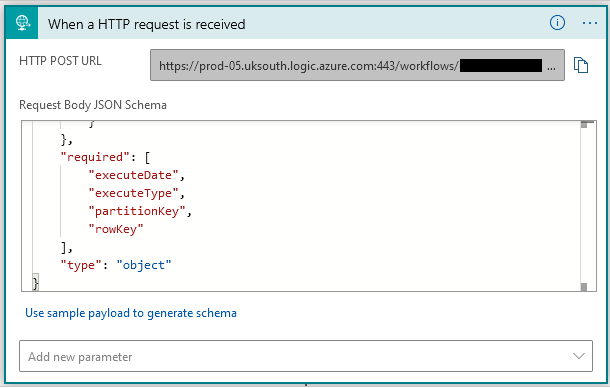
Using the schema to ensure it is only executed when all the required fields are populated:
{
    "$schema": "http://json-schema.org/draft-04/schema#",
    "properties": {
        "executeDate": {
            "type": "string"
        },
        "executeType": {
            "type": "string"
        },
        "partitionKey": {
            "type": "string"
        },
        "rowKey": {
            "type": "string"
        }
    },
    "required": [
        "executeDate",
        "executeType",
        "partitionKey",
        "rowKey"
    ],
    "type": "object"
}
The next step is to check to see if the execute type is of a known type by checking if it matches the values set in the parameters for a valid value.

If execute type is not one of the known values then send an email to the system admin and pass back a 404 in the HTTP response to tell the MDBAF that the requested failed.
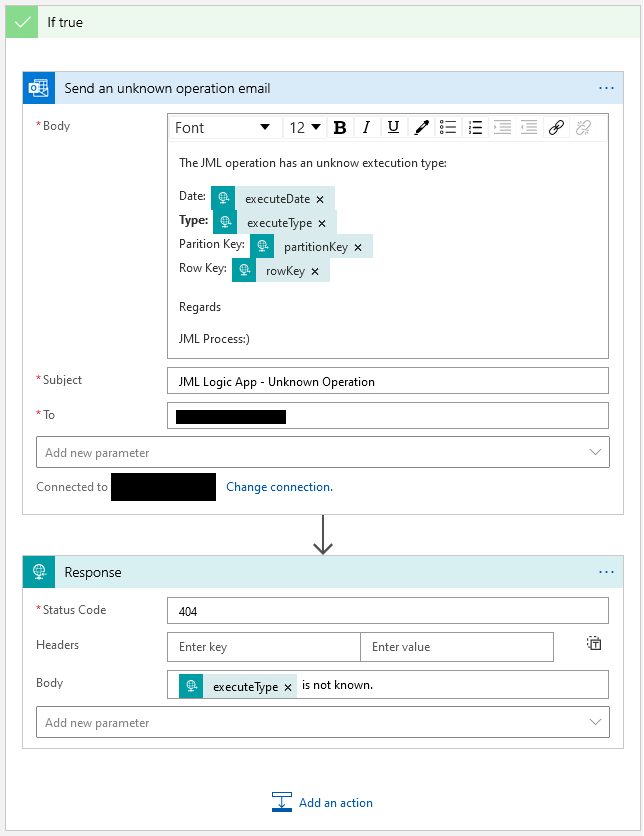
If the execute type is of a known type lets process according to that action. As this is the Joiner part of the JML processor the execute type will be Insert, so this will trigger the JML-Joiner Logic App workflow and depending on success pass back a 200 HTTP response or 400 if an error has occurred.
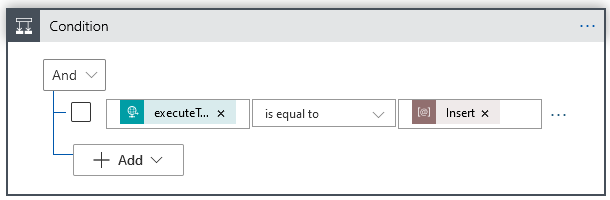
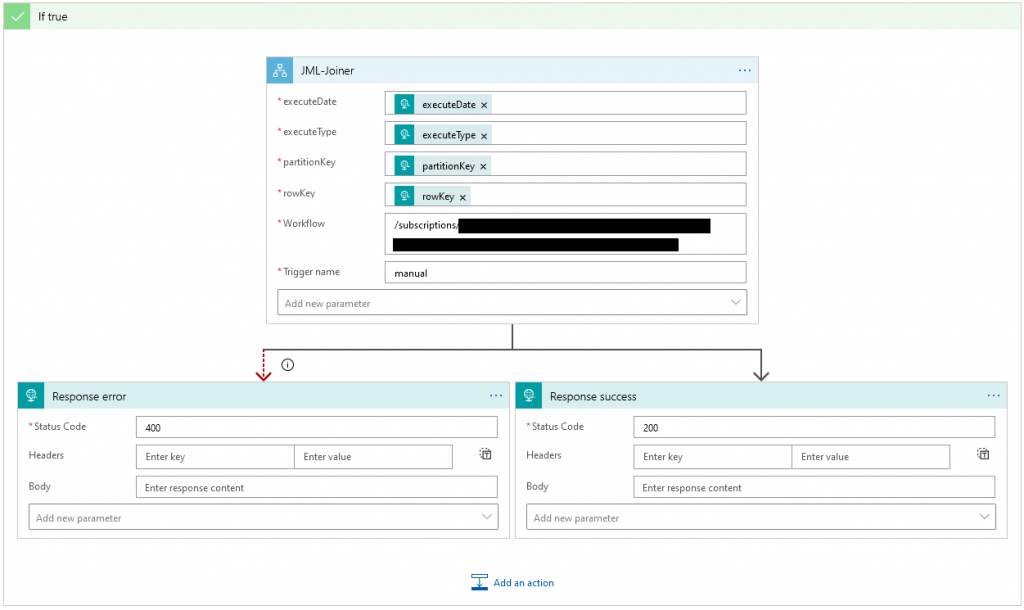
By using a generic Logic App to route our JML requests this keeps each of the Logic Apps focused on one task, easier to maintain and update if required.
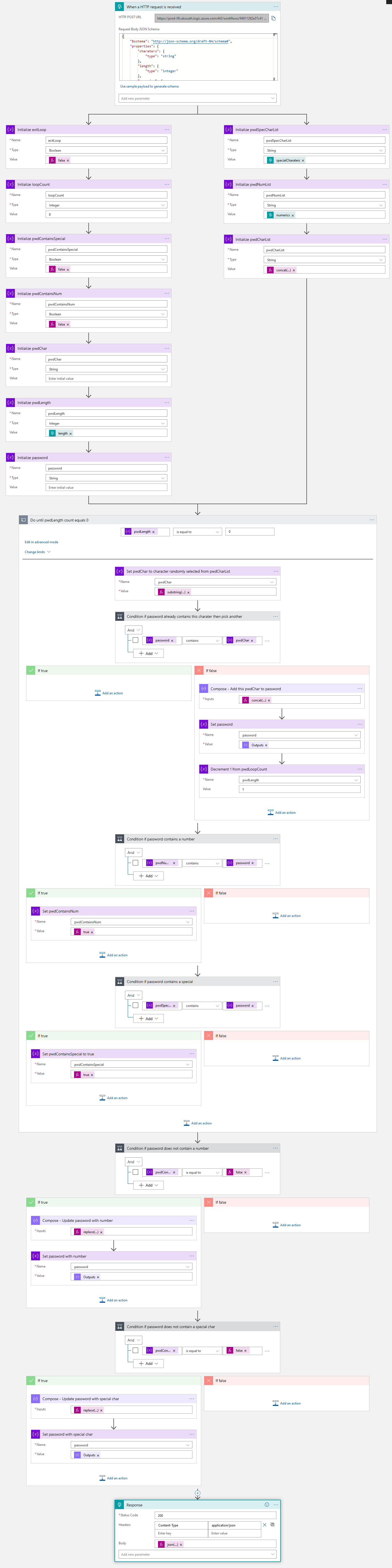
Another prerequisite workflow that I created was one that generates a random password for a new user. At first I did wonder why generating a password wasn’t a standard action step, but I probably should have used the Azure Key Vault (something for a future post). For the password workflow I include a screenshot of the entire workflow and if anyone wants further details then please leave a message.
 Boyar Consulting
Leave a comment